
Repost license
转载需先申请授权,并保留授权码、原文地址和文中 go/affiliate 链接。
Original URL:https://www.geekcorelab.com/post/guide-to-deploying-discourse-when-ports-are-occupied
The official environment and the environments used in the now-ubiquitous tutorials are all brand-new environments, but during my actual deployment I found a problem:
Not many people can actually afford a dedicated machine, or buy hardware themselves and install PVE for virtualization like I did; most deploy on a single server, running their own blog as well as other things.
Most students use cost-effective providers such as 雨云, and 雨云 is probably the most used—after all
Other tutorials all introduce installation in a brand-new environment and do not explain how to solve port occupancy issues. As a result, when deploying Discourse, the deployment tool detects that the port is occupied and deployment cannot proceed. So is there really no way?
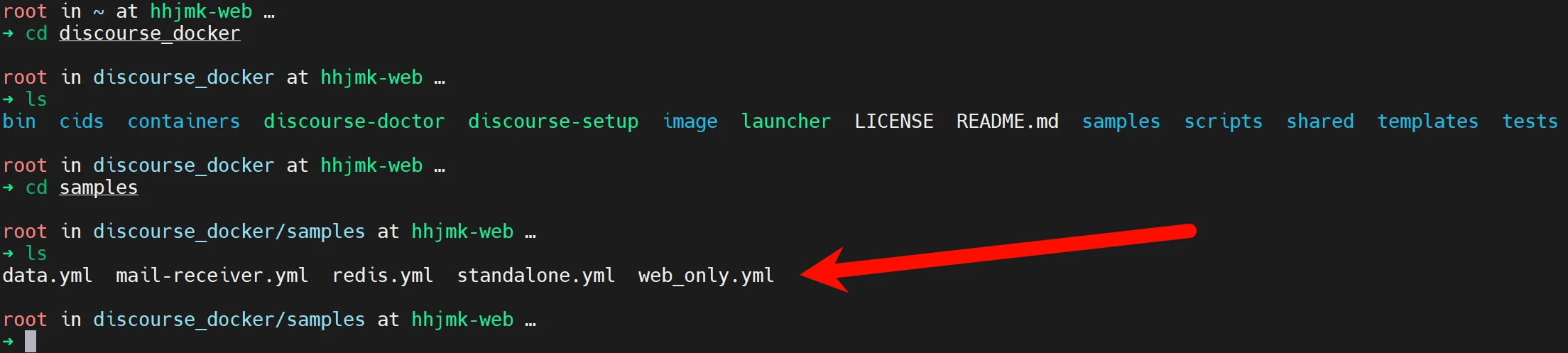
After completing git clone, there are some yml configuration files in the samples directory. Open and verify them—they are indeed docker compose files. Among them, standalone.yml is the main file to change. Referring to the official article, it is not hard to find what needs to be changed.
Run other websites on the same machine as Discourse - Documentation / Self-Hosting - Discourse Meta
The official documentation gives two deployment methods. If you just want to change to a different port, you only need to disable SSL and change the exposed conflicting port. However, if you use nginx as the entry point, it is more recommended not to expose ports and to use a socket for reverse proxying.
To make up for the fact that the official solutions are not easy for beginners to understand, this article will discuss the implementation of both solutions.
But following the official documentation, I soon found a problem: even after changing these configuration files, the deployment script still detects that the port is occupied and refuses to deploy.
To solve this problem, I tried changing samples/web_only.yml, but it had no effect. It turns out that these compose files are just compose files and have nothing to do with the deployment script detecting port occupancy. So, since it is based on docker compose, we can completely bring it up manually without relying on its script.
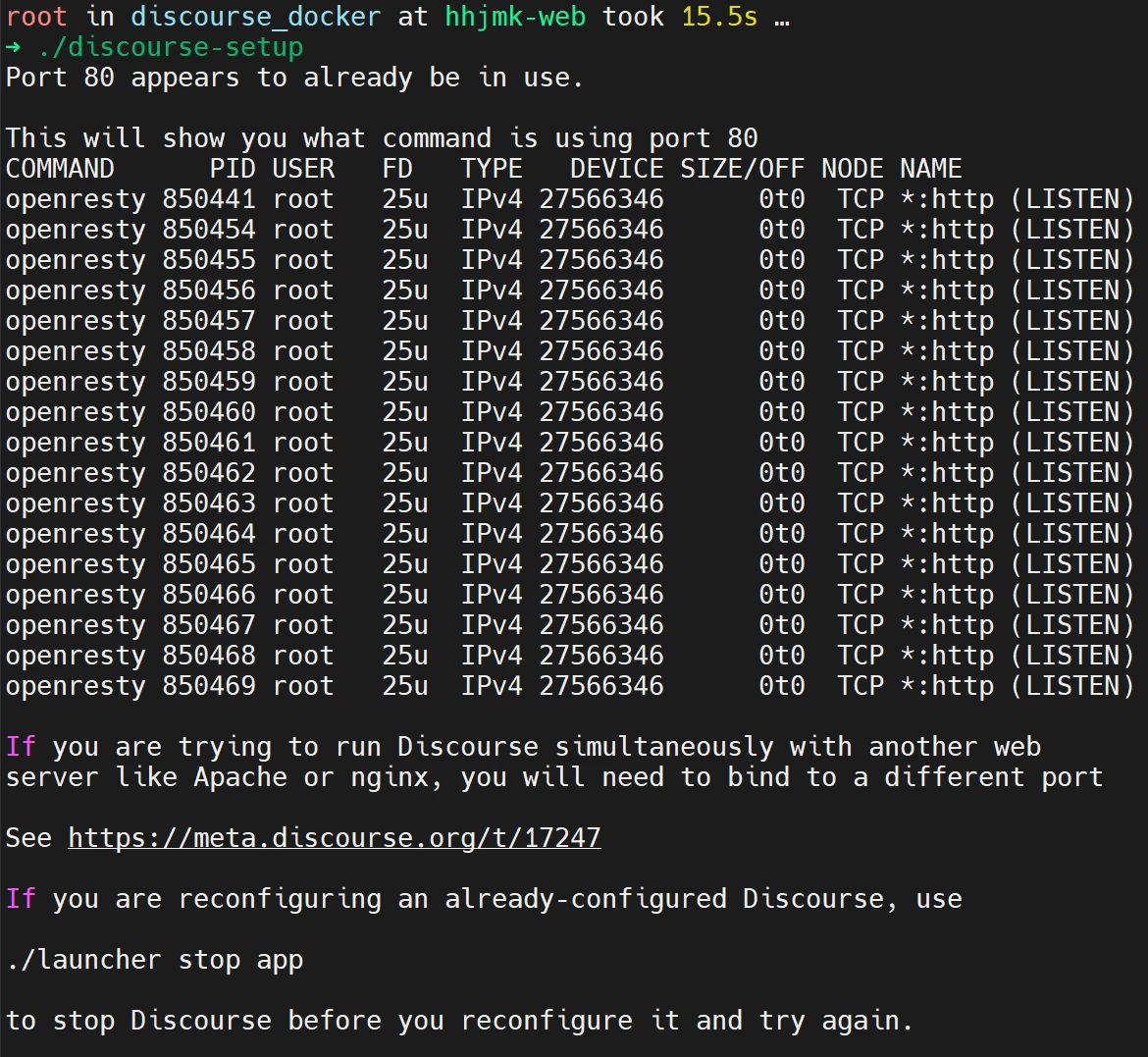
But don't forget, during the deployment stage there will be something like this
Yes, this is not just a docker compose up -d script, but a complete configuration tool. We also need to rely on it to generate a configuration file.
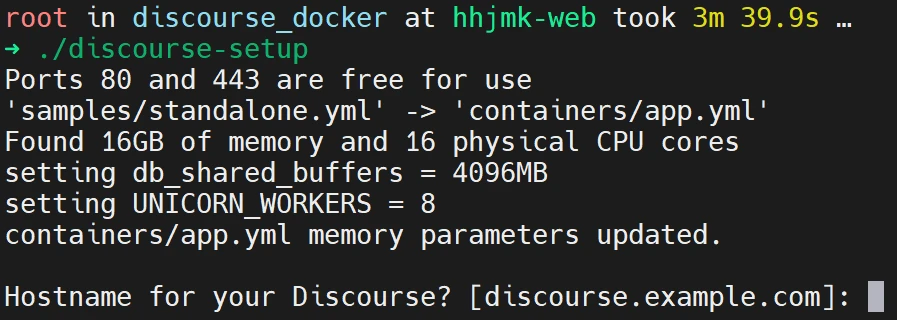
So we can only find a workaround. Let's use file to check the file type of the deployment script.
It successfully identified it as a shell script, proving that we can edit it to change or bypass the port occupancy check.

Around line 310, I found the familiar prompt we saw. We only need to make it always think the port is not occupied (not recommended); changing the port it checks is more recommended.
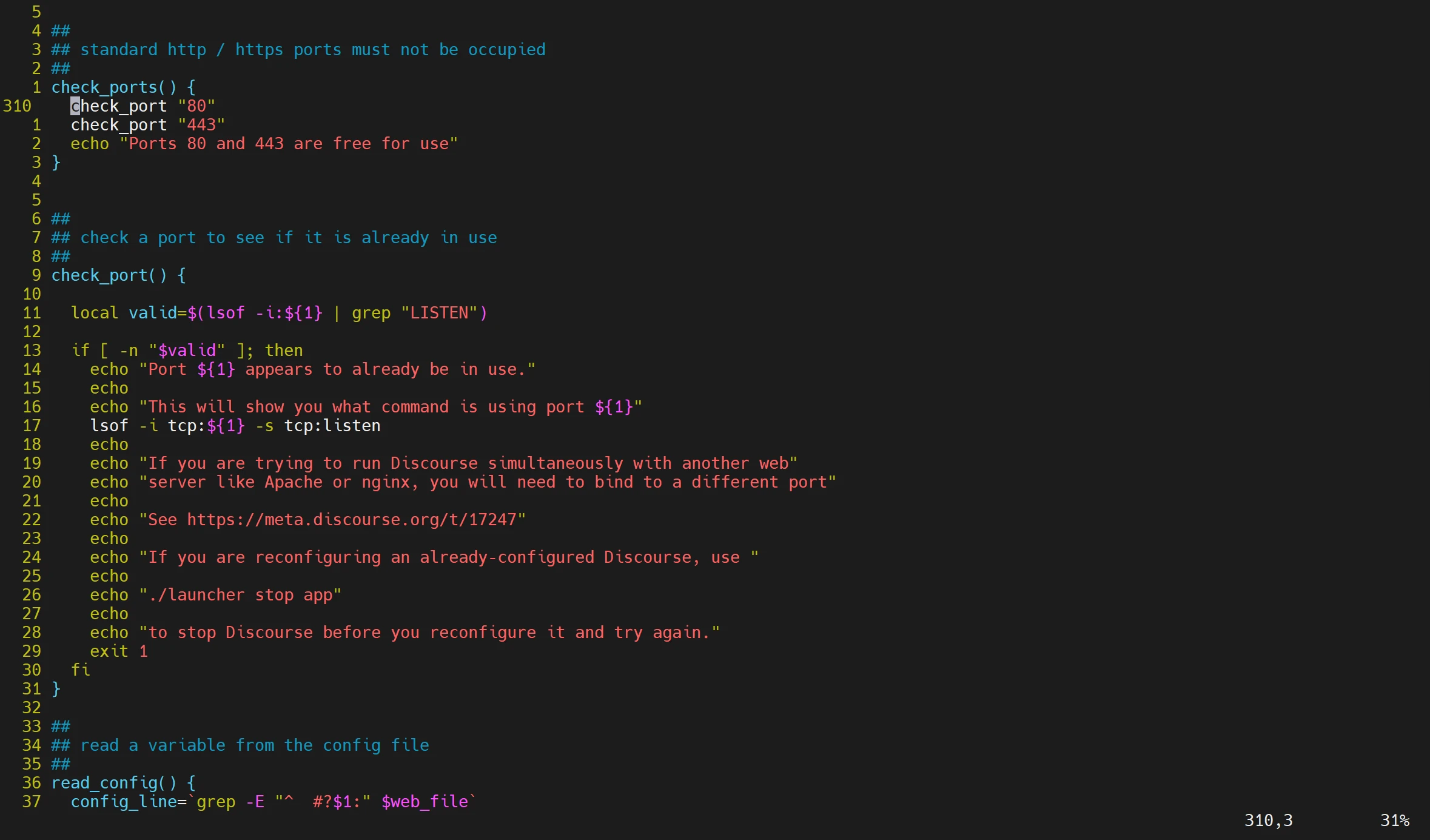
For example, here I use 41280 as the entry point. Because external reverse proxying is needed, I comment out the check for port 443 and only use port 41280 (if using socket proxying, just comment them all out, because sockets depend on files rather than ports).
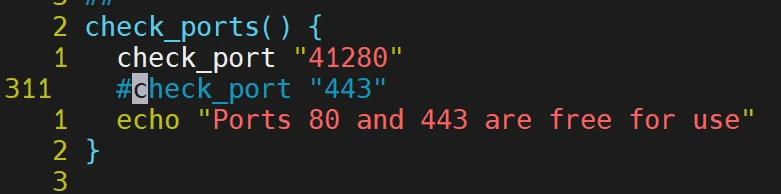
Run it again, and it succeeded.
Comments
Discussion
Be kind and keep the discussion friendly.
Discussion
0 comments