Is 1GB Actually 1000MB or 1024MB? This Article Makes It Clear

Repost license
转载需先申请授权,并保留授权码、原文地址和文中 go/affiliate 链接。
Original URL:https://www.geekcorelab.com/post/1gb-1000mb-1024mb
Most people first hear about this issue probably because they discover that the capacity of the hard drive/USB flash drive they bought has shrunk. So either they swallow their anger, or they go argue with the seller, and then the seller throws out a line: “Hard drive manufacturers produce according to 1GB=1000MB, while operating systems read according to 1GB=1024MB.”
But is that really the case?
We only need to open the calculator and perform a unit conversion, and the truth becomes clear:
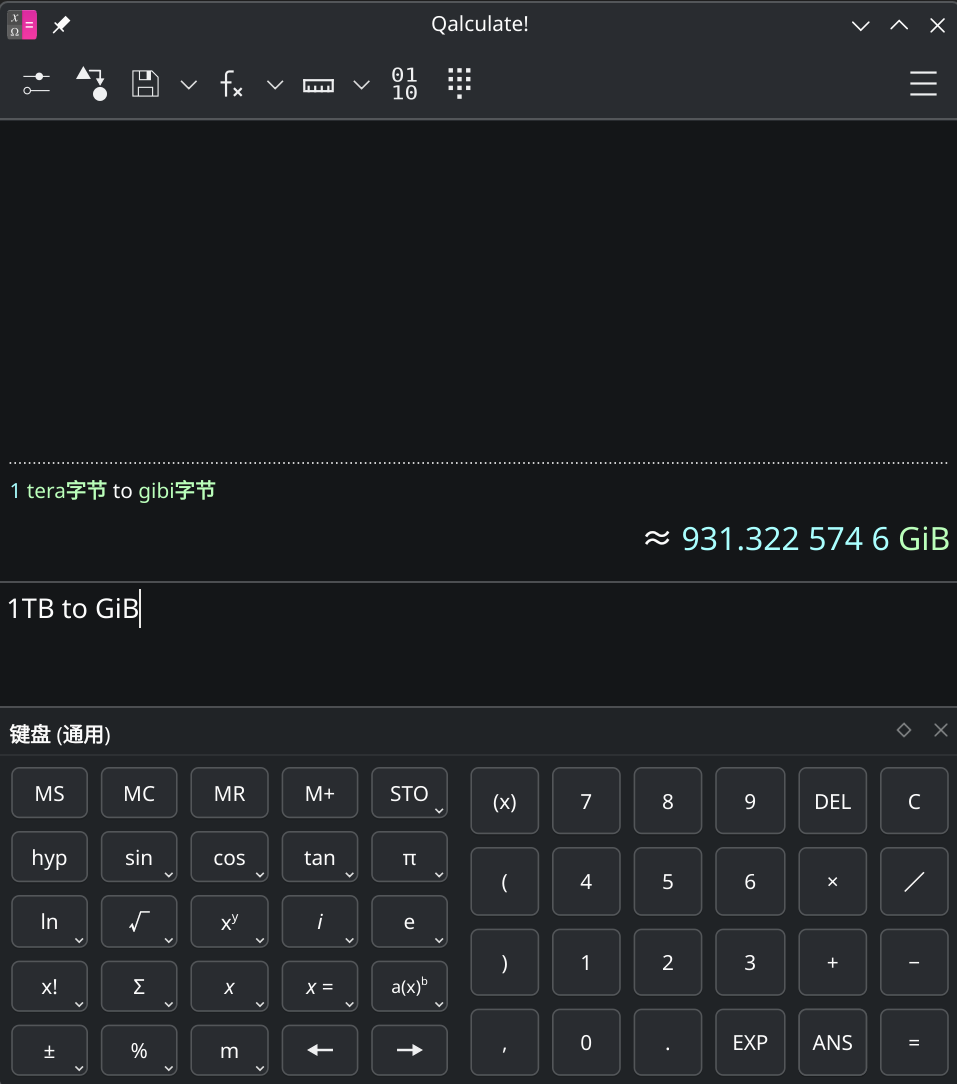
The conversion factor is neither 1000 nor 1024.
So what exactly is going on? The answer is that one is a decimal unit and the other is a binary unit, and the difference of whether there is an i is whether the unit is binary.
Early on, KB, MB, and GB were all used to denote both decimal and binary units, until later when binary units were separately distinguished as KiB, MiB, and GiB.
I think the chief culprit still has to be Windows’s long-standing mixed use of units.
Although the distinction between xB and xiB was added later, and the two were mixed before that as well, Windows did not distinguish between these two units and still mixes them. It frequently happens that the underlying layer reads in binary, but the value is still displayed as decimal xB.
As shown in the calculator image above, it is beyond reproach—indeed, it has always been reasonable—for hard drive manufacturers to produce hard drives according to the decimal measurement of xB, because from beginning to end the units marked are xB rather than xiB.
The most absurd part of the whole matter is:
Manufacturers that follow the standard when producing hard drives are often accused of false labeling, while operating systems’ long-term mixed use of units is rarely mentioned
Of course, there is also a special example: the actual capacity of the 长江存储 hard drive on my computer is about 1024GB, and the operating system read it as 952GiB.
Comments
Discussion
Be kind and keep the discussion friendly.
Discussion
0 comments